 SCREEN
 Best Live Wallpaper Apps for iPhone and Android
The best live wallpaper app depends on your phone, because iPhone and Android allow different kinds of motion. On iPhone the only moving wallpaper is a Live Photo on the Lock Screen: it plays for a moment when you wake the phone, and nothing animates continuously. On Android a live wallpaper is a system service that can loop a video on the Home Screen all day. ScreenLux, which we make, ships 91 original loops in both formats at 1080 × 2400. Zedge has the biggest library, intoLive turns your own clips into Live Photos, and Pixel and Samsung phones ship with capable live wallpapers of their own.
ScreenLux is our app. Every competitor below wins at least one highlighted row, because each does something we do not. Competitor details are general and were accurate as of our last check in September 2026.
The platform limits first
iPhone. Since iOS 16, the only wallpaper that moves is a Live Photo on the Lock Screen. It animates when you wake the phone or press the Lock Screen, then settles on its key frame. The Home Screen never animates, no app can change that, and any app promising a video Home Screen on iPhone is describing something iOS does not allow. Depth Effect and Spatial Scene (iOS 26 and later) depend on the device and the image, not the app. ScreenLux needs iOS 17 or later.
Android. A live wallpaper is a real operating-system feature: a wallpaper service an app registers so the Home Screen can render motion continuously, all day. The Lock Screen is the catch. Whether a live wallpaper also plays there depends on the manufacturer; Samsung One UI and Pixel differ on where video lock screens are allowed, so treat lock-screen motion on Android as a per-phone question, not an app question.
Live wallpaper apps compared
The columns are the apps people search for, plus the wallpapers your phone came with, which are the honest baseline. Highlighted cells win their row.
| Criteria | ScreenLux | Zedge | Walli | intoLive and Live Photo makers | Pixel and Android built-in | Samsung Galaxy Themes |
|---|---|---|---|---|---|---|
| Platforms | iPhone (iOS 17+) and Android 8+, rolling out | iPhone and Android | iPhone and Android | iPhone | Pixel and stock-style Android | Samsung Galaxy (One UI) |
| iPhone motion | Live Photos for the Lock Screen | Live Photos, as of our last check | Mostly stills | Turns your own video into a Live Photo | Not applicable | Not applicable |
| Android motion | Real live wallpaper service: muted video loop on the Home Screen, matching still on the Lock Screen | Live and video wallpapers from mixed sources | Mostly stills | Not applicable | Built-in animated and interactive wallpapers | Video and animated Lock Screens through One UI |
| Original art | 91 original loops, editorially curated | User uploads; quality varies | Artist illustrations, mostly still | Your own footage | Google-designed, small set | Samsung and partner designs |
| Library size | 91 live, 470+ total | Very large | Large, mostly stills | None; it is a converter | Small | Large theme store |
| Artist community | No; studio-made | Uploaders, mixed | Yes; credited artists | No | No | Designer storefront |
| Make your own | No | Upload your own, as of our last check | Upload your own | Yes; any clip becomes a Live Photo | No | Limited |
| System integration and battery | App-installed service; pauses when covered | App-installed | Stills; no running cost | Live Photo; plays on wake only | Built into the OS and tuned by Google | Built into One UI |
| Android Lock Screen motion | Matching still; video where the manufacturer allows it | Depends on the phone | Stills | Not applicable | Stills on Pixel | Yes; Samsung's own video Lock Screen |
| Price model | Free app; all wallpapers premium. ScreenLux+ is $19.99 lifetime, $14.99/yr (7-day trial) or $1.99/wk (3-day trial) | Free with ads; optional subscription, as of our last check | Free with ads; optional premium, as of our last check | Free with a paid unlock, as of our last check | Free, built in | Free and paid themes, built in |
| Our take | Original loops in the right format for each platform; paid | The most choice; sort through it yourself | Better for stills than motion | The tool for animating your own clips | Start here on a Pixel | Start here on a Galaxy |
Battery and OLED: what motion actually costs
On iPhone, a Live Photo wallpaper costs almost nothing: it plays for a second or two on wake and then sits still. On Android, a live wallpaper service draws whenever the Home Screen is visible and pauses when an app covers it or the screen is off. A muted 1080 × 2400 loop decoding in hardware is a modest load, more than a still and far less than a game.
OLED changes the maths. On an OLED panel, which is every current flagship and most mid-range phones, black pixels are switched off, so a mostly dark loop uses less power than a bright one and the motion stands out more against true black. If you want animation at the smallest cost, pick a dark loop.
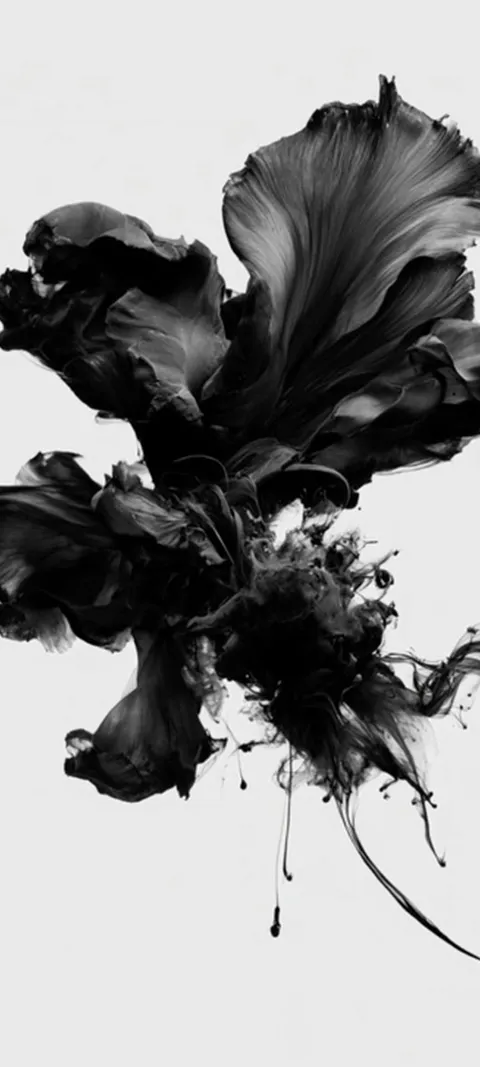
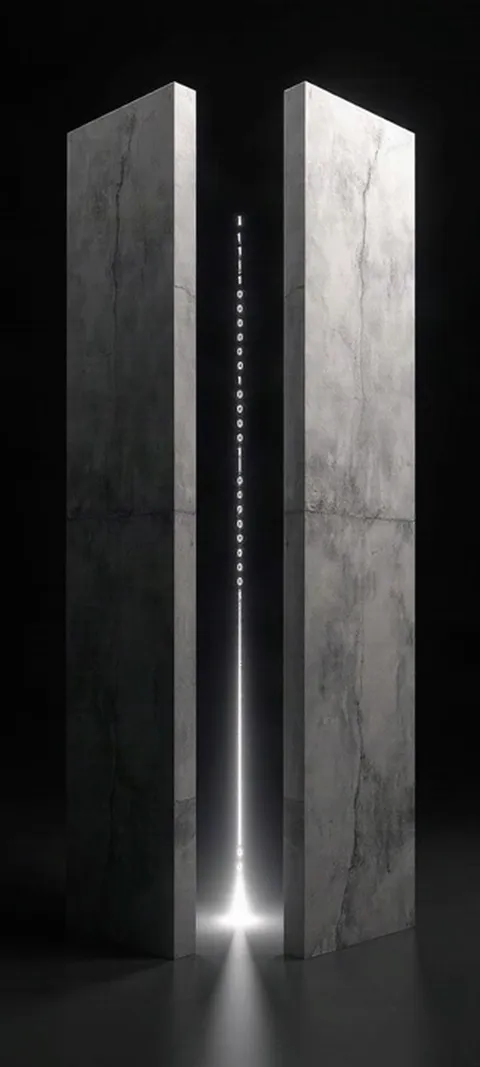
Four loops from the ScreenLux catalog. Each is a Live Photo on iPhone and a video wallpaper on Android; the whole set is at live wallpapers.


What is the best live wallpaper app for iPhone?
For original loops made for the Lock Screen, ScreenLux is our pick, with the caveat that we make it: 91 Live Photos at 1080 × 2400, composed so the clock stays readable and the motion reads in the moment it plays. To animate your own footage, an intoLive-style converter is the right tool. For the largest choice, if you can sort through uneven quality, Zedge. Whatever you choose, remember the limit: iPhone motion is Lock Screen only, on wake.
The loops that work best on iPhone are short, with a key frame you would be happy to look at all day, because that is what you see between wakes. Browse live wallpapers for iPhone; Golden Ocean Wave and Blazing Tunnel Ride both read clearly in a couple of seconds.
What is the best live wallpaper app for Android?
Start with what your phone already has. Pixels ship with Google-designed live wallpapers, and Samsung phones have Galaxy Themes with video Lock Screens built into One UI. For a catalog beyond that, Zedge has the most, and ScreenLux installs a real live wallpaper service that loops a muted 1080 × 2400 video on the Home Screen with a matching still on the Lock Screen. The ScreenLux Android app is rolling out now and needs Android 8 or later.
Budget phones that only decode 1080p get a 1080 × 1920 rendition of every ScreenLux loop, so the wallpaper still plays rather than stuttering. See live wallpapers for Android.
Do live wallpapers drain your battery?
On iPhone, not noticeably: a Live Photo plays for a second or two on wake and is otherwise a still. On Android, a live wallpaper uses some power while the Home Screen is showing, because the service is rendering, but it pauses when an app is in front or the screen is off. A hardware-decoded video loop is a modest load, more than a still and far less than a game. Dark loops on OLED screens cost less, since black pixels are switched off.
For motion at the smallest cost, pick a loop that is mostly black; the dark wallpaper category is sorted with that in mind.
Can a live wallpaper play on the Android Lock Screen?
Sometimes, and it depends on the manufacturer rather than the app. Samsung One UI supports video Lock Screens through its own tools, so on a Galaxy phone a loop can play there. Pixel keeps the Lock Screen to a still for third-party wallpapers, as of our last check. Other brands land somewhere between. That is why ScreenLux sets a matching still on the Lock Screen by default and plays the loop on the Home Screen, where every Android phone allows it.
Call it the manufacturer lottery. Before paying for any live wallpaper app on Android, check whether your phone lets a third-party wallpaper animate the Lock Screen at all; if not, no app can change that.
Can I turn my own video into a live wallpaper?
Yes, on both platforms. On iPhone, a converter such as intoLive trims a clip to a few seconds and saves it as a Live Photo, which you set on the Lock Screen from Photos. Keep it around three seconds and pick a key frame you like, because that is what you see most of the time. On Android, Samsung's Gallery can set a video as a Lock Screen on many models, and several video wallpaper apps handle the Home Screen. ScreenLux is a catalog, not a converter.
Two things make a home-made loop look better: shoot or trim so the last frame lands close to the first, and keep the subject away from the top third of the frame, where the clock sits.
Wallpapers made for the phone
470+ original live and still wallpapers composed at 1080 × 2400. The app is free and every wallpaper previews free; ScreenLux+ unlocks downloads.
Get ScreenLux FreeFree to download · No account required · iOS 17+ · Android 8+