 SCREEN
Cool Car Wallpapers for Your Phone: Best Live and Still Picks
The best car wallpapers for a phone show one car, low in a tall frame, against a dark or plain background with a single bright element such as a taillight or a tunnel light. Six styles cover most tastes: tunnel runs, taillight details, wet night tracks, vintage dashboards, scenic drives and studio reds. Put the full car on the Lock Screen and a detail shot behind your apps, and choose a live version only if you want motion on wake.
Six car wallpaper styles, and where each one works
Each row names real wallpapers from the ScreenLux catalog, but the styles apply to any car image you find. The last column is the one to read first: a shot that looks sharp on its own can lose the car under a grid of icons.
| Style | What it looks like | Picks | Best on |
|---|---|---|---|
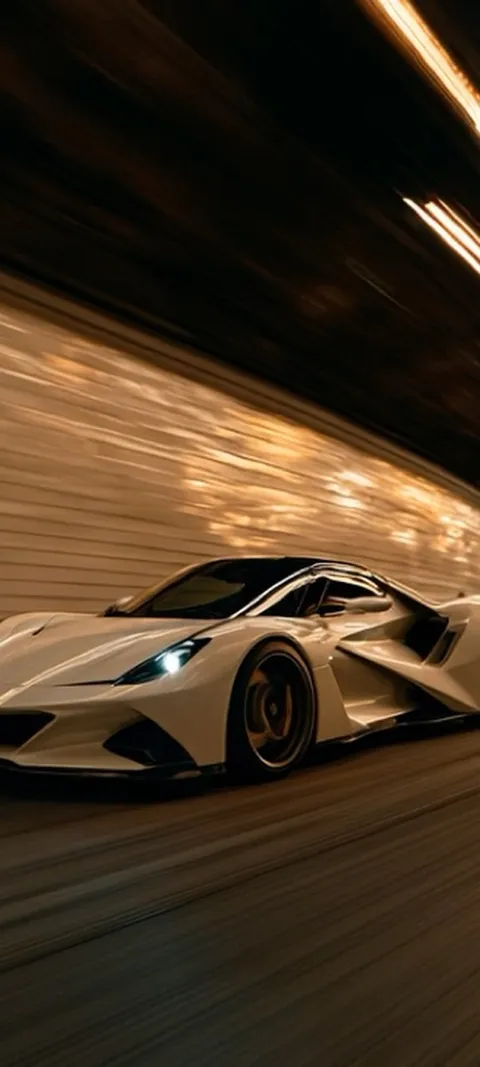
| Tunnel runs | A low car under strip lights, motion blur, mostly black | Blazing Tunnel Ride (live), Tunnel Speed Demon (live), Tunnel Exit Drive (live) | Lock Screen |
| Taillight details | A close crop on one glowing light against a dark body | Sleek Car Taillight (live), Sleek Taillight Glow (live), Sleek Car Silhouette (live) | Either screen |
| Wet night tracks | Rain, reflections and orange or red light on a circuit | Wet Urban Circuit (live), Rainy Race Track, Rainy Race | Lock Screen |
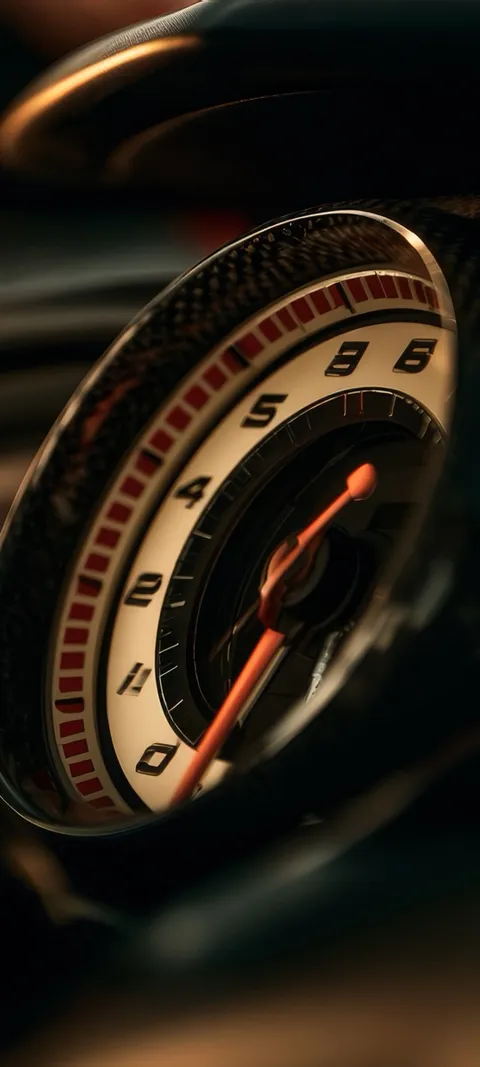
| Vintage dashboards | Chrome gauges and warm light with a shallow focus | Night Drive Dashboard (live), Vintage Dashboard, Classic Car Shifter | Home Screen |
| Scenic drives | One car on a coast or desert road near sunset | Coastal Sunset Drive, Desert Sports Car, Coastal Race Track (live) | Lock Screen |
| Studio reds | A red car on a dark floor with nothing else in frame | Red Race Car, Red Sports Car | Lock Screen |
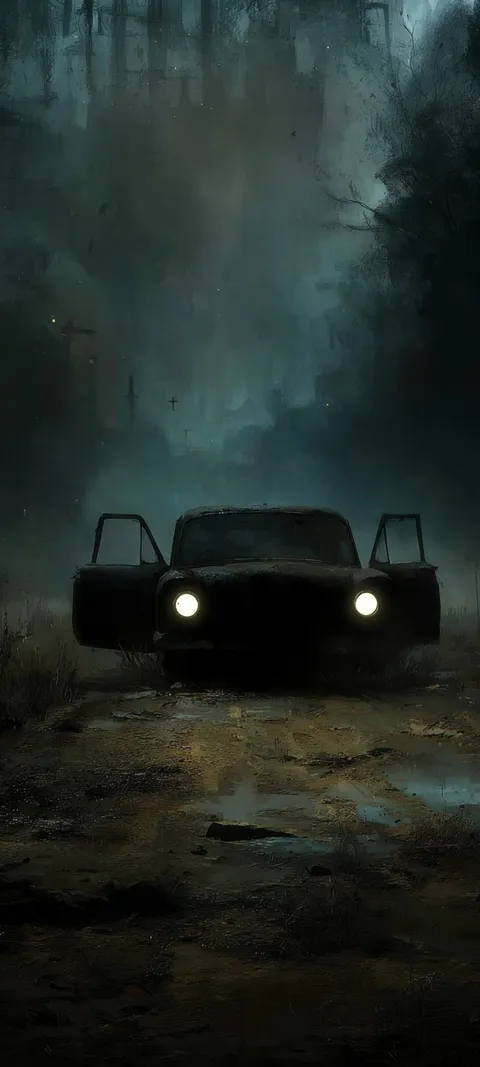
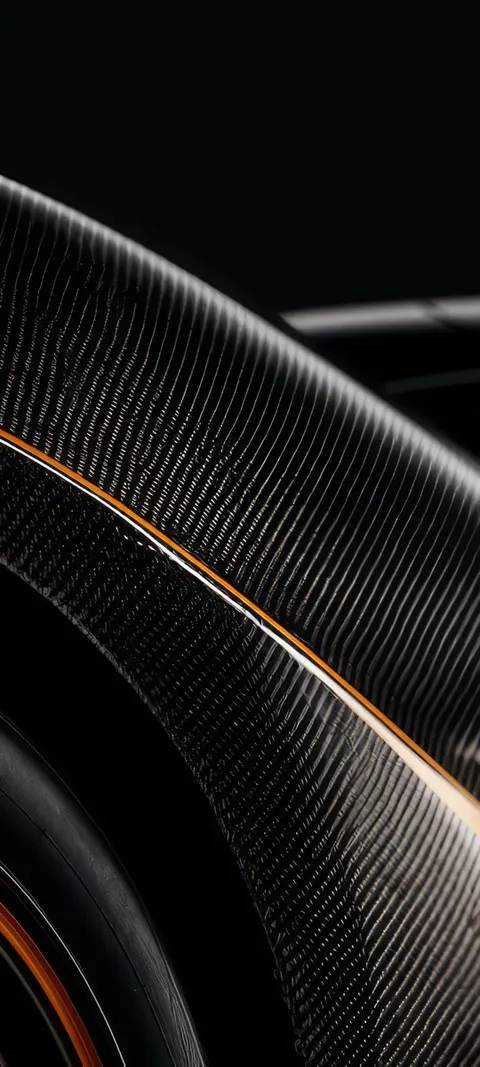
Four from the car wallpapers page, each composed for a tall phone screen at 1080 × 2400.
What makes a car wallpaper look good on a phone?
A phone screen is tall and narrow, so the best car wallpapers are composed for that shape rather than cropped from a wide photo. Look for one car, a dark or plain background, and the subject sitting in the lower two thirds of the frame where the clock and notifications do not cover it. Strong highlights on paint, glass or chrome give the image depth at a small size. Busy backgrounds, several cars and small badges turn to clutter behind icons.
This is why desktop-style car photos rarely work on a phone. The car is usually centered in a 16:9 frame, and the portrait crop keeps the middle third and throws away the nose and tail. A wallpaper drawn for a 9:20 screen, such as the ones on the car wallpapers page, keeps the whole car and leaves the top clear for the time.
Which car wallpapers work best on the Lock Screen?
Pick an image with the car low in the frame and a quiet upper half. Tunnel shots, scenic drives and studio reds all do this naturally, because the road or floor fills the bottom and the sky or ceiling fills the top. The clock then sits over plain dark space and stays readable. On iPhone, a car whose roofline is clearly separated from the background can also trigger Depth Effect, which lets the car overlap the clock slightly, though that depends on the image and the phone.
Blazing Tunnel Ride and Coastal Sunset Drive are good examples: the car sits in the bottom half and the lights or sky above it are soft. Red Race Car is closer to the top of the frame, so check where the clock lands before you commit. The sports wallpapers page has the race-day versions, including cockpit views and track scenes in the rain.
Are live car wallpapers worth it on a phone?
Yes, if you accept how each platform handles motion. On iPhone, a live car wallpaper is a Live Photo on the Lock Screen that plays a short clip when you wake the phone, and the Home Screen stays still. On Android, a live wallpaper service can loop a muted video on the Home Screen, while video on the Lock Screen depends on the manufacturer. Cars suit this format well, because a short tunnel run or a flicker of taillights reads as motion even in a two-second clip.
In ScreenLux, the live car picks include Blazing Tunnel Ride, Tunnel Exit Drive, Sleek Car Taillight, Night Drive Dashboard and Exhaust Flame Burst, and the full set of animated designs is on the live wallpapers page. The battery cost is small on either platform, and the live wallpaper battery guide explains why. Slow motion ages better than fast cuts, so a dashboard with drifting bokeh will still feel right in six months.
Should a car wallpaper be dark or bright?
Dark, in most cases. Nearly every strong car wallpaper is a dark body or a night scene with one bright element, such as a taillight, a tunnel light or a wet reflection. That contrast is what makes the car pop at phone size, and the dark field keeps white text and icon labels readable without any blur. On an OLED screen, large black areas also use less power than a bright daytime shot. Save the sunlit coast or desert images for the Lock Screen, where nothing has to sit on top of them.
If you like the look but want it even quieter, the dark wallpapers page filters the catalog down to near-black designs, and several of the car images appear there too. Sleek Car Silhouette and Sleek Car Headlight are about as minimal as a car wallpaper gets: one light line on black.
Where can you get cool car wallpapers for your phone?
Free photo sites such as Unsplash and Pexels have thousands of car photos at no cost, and they win on price, but most are landscape shots for desktops and need a hard crop. Wallpaper aggregator sites carry phone-sized crops, with more ads and uneven quality. Wallpaper apps composed for phones give you portrait files and a preview on a mock Lock Screen before you download. Whichever source you use, check the file is at least 1080 pixels wide and taller than it is wide.
Disclosure: we make ScreenLux, so weigh this section accordingly.
ScreenLux renders every car wallpaper at 1080 × 2400 for the phone and lets you preview any of them free on Lock Screen and Home Screen mockups, including the live versions. Downloads need ScreenLux+, at $19.99 once for lifetime access, $14.99 a year with a 7-day trial, or $1.99 a week with a 3-day trial. Free users see one small banner ad, which ScreenLux+ removes. No account is needed on either platform.
Does a car wallpaper have to show a whole car?
No, and some of the best ones do not. A detail shot of a gauge cluster, a gear shifter, a headlight or a single taillight curve often works better on a phone than a full car, because the subject is large enough to read under icons and the background is already simple. Full-car images belong on the Lock Screen, where they have room. Detail shots can go on either screen, and they pair well with a full-car Lock Screen in the same colors.
A natural pair is Blazing Tunnel Ride on the Lock Screen with Carbon Fiber Gauge or Vintage Dashboard behind the apps. The two share a dark palette and a warm light source, so the phone feels like one setup rather than two unrelated images. On iPhone you choose both images when you add the wallpaper; on Android most phones let you set each screen separately from the wallpaper settings.
Setting a car wallpaper without cutting off the car
Most complaints about car wallpapers come down to the crop. The phone zooms in, the nose disappears, and what is left is a door panel. A few habits fix that on either platform.
- Start with a portrait file. A 1080 × 2400 image fits a current phone screen with no zoom at all. A landscape photo will always lose its sides.
- Check where the clock lands. On iPhone, long-press the Lock Screen and add a new wallpaper, then look at the preview with the time showing. On Android, the wallpaper picker shows a similar preview before you apply.
- Reposition instead of zooming. Pinch and drag the image in the preview so the car sits below the clock. Avoid zooming in, which softens the paint and chrome.
- Turn off perspective or motion effects if the edges move. Some phones pan the wallpaper as you tilt, which can push the car partly off screen. Recent versions let you switch this off in the wallpaper settings.
- Set the Home Screen separately. Use a detail shot or a darker frame behind the apps, so the full car on the Lock Screen is never hidden under icons.
If you want the car to move, the iPhone live wallpaper guide covers saving a Live Photo and setting it on the Lock Screen. On Android, the live versions install from the app and run on the Home Screen without any extra steps.
Wallpapers made for the phone
470+ original live and still wallpapers composed at 1080 × 2400, including tunnel runs, taillight details and vintage dashboards. The app is free to download and every wallpaper previews free; ScreenLux+ unlocks downloads.
Get ScreenLux FreeFree to download · No account required · iOS 17+ · Android 8+