 SCREEN
iPad Wallpaper Size and Resolution Guide (Every Model)
The best iPad wallpaper size is a square as wide as your screen's long edge: 2752 × 2752 for the 13-inch iPad Pro, 2732 × 2732 for the 13-inch iPad Air, and 2360 × 2360 for the iPad (10th gen), iPad (A16) and 11-inch iPad Air. A square covers the screen in portrait and landscape without being enlarged. Keep the subject in the middle, inside a square the size of the short edge, and it shows no matter how you hold the iPad.
iPad screen resolutions by model
These are native pixel counts from Apple's specifications, listed in landscape. The last column is the square file that covers that screen both ways at full sharpness. Older models not listed follow the same rule: find the long edge in Apple's tech specs and make a square of it.
| Model | Native pixels | Shape | Square file |
|---|---|---|---|
| iPad mini (6th gen), iPad mini (A17 Pro) | 2266 × 1488 | ~3:2 | 2266 × 2266 |
| iPad mini (A20 Pro) | 2316 × 1512 | ~3:2 | 2316 × 2316 |
| iPad (9th gen), 10.2-inch | 2160 × 1620 | 4:3 | 2160 × 2160 |
| iPad (10th gen), iPad (A16) | 2360 × 1640 | ~1.44:1 | 2360 × 2360 |
| iPad Air 11-inch (M2, M3, M4) | 2360 × 1640 | ~1.44:1 | 2360 × 2360 |
| iPad Pro 11-inch (M4, M5) | 2420 × 1668 | ~1.45:1 | 2420 × 2420 |
| iPad Air 13-inch (M2, M3, M4), iPad Pro 12.9-inch (6th gen) | 2732 × 2048 | 4:3 | 2732 × 2732 |
| iPad Pro 13-inch (M4, M5) | 2752 × 2064 | 4:3 | 2752 × 2752 |
Not sure which iPad you have? Open Settings → General → About and look at the model name, then match it to the row above. If you want one file for every iPad, a 2752 × 2752 square is the largest you need; iPadOS scales it down for smaller screens with no visible loss.
How iPadOS fits a wallpaper to the screen
iPadOS always scales a wallpaper to cover the display. It enlarges or shrinks the image until both the width and the height are filled, then crops whatever spills past the edges. It never adds black bars. On a phone that happens once, because the phone rarely rotates its Home Screen. On an iPad it happens every time you turn the device, and each orientation keeps a different slice of the picture.
Picture a 13-inch iPad Pro. In landscape the screen is 2752 pixels wide and 2064 tall; in portrait the numbers swap. A 2752-pixel square fills the width in landscape and the height in portrait, so it is never enlarged. What changes is the crop: landscape trims 344 pixels from the top and bottom, portrait trims the same from each side. The centered 2064 × 2064 area is the only part that is always on screen.
That gives you a simple layout rule. Put faces, animals, text and anything with a clear edge inside the central square. Use the outer bands for sky, texture, gradient or background that can be lost without the picture falling apart. On the Lock Screen, also leave the upper part of the frame fairly quiet so the clock stays readable.
Live Photo wallpapers on iPad
On iPadOS 17 and later you can set a Live Photo as the Lock Screen wallpaper, and it plays when you wake the iPad. The Home Screen shows a still frame. Size matters more here, because a Live Photo is video underneath: a clip shot on a phone in portrait gets enlarged and cropped heavily in landscape. The same square-and-centered advice applies, and the steps for setting one are in the guide on how to change the wallpaper on iPad.
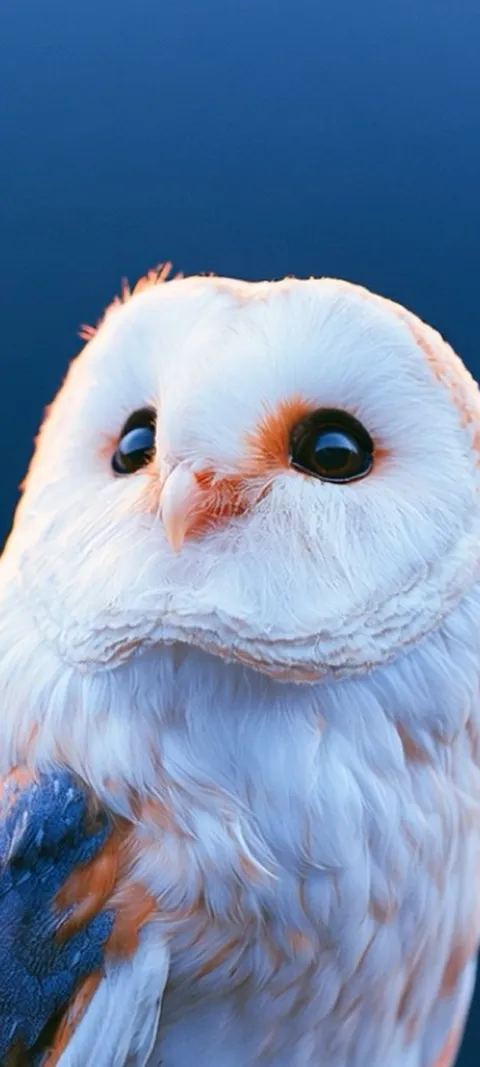
ScreenLux's iPad Live Photos are 2160 × 3840, so designs such as Arctic Fox Cub, Barn Owl Gaze and Cosmic Energy Vortex keep their detail on a 13-inch screen. More motion designs are on the live wallpapers page.
Composed for the iPad frame
Four wallpapers from the large-screen catalog, made for the iPad's wider shape instead of cropped from the phone versions.



Why should an iPad wallpaper be square?
Because the same image has to fill the screen in portrait and in landscape. iPadOS scales the wallpaper to cover whichever way the iPad is held, then crops the overflow. A square file as wide as the long edge of the screen covers both orientations without being enlarged. The only part guaranteed to show in both is a centered square the size of the short edge, so keep the subject inside that and treat the outer strips as space that comes and goes.
On a 13-inch iPad Pro that means a 2752 × 2752 file with the subject inside the middle 2064 × 2064. In landscape iPadOS trims the top and bottom; in portrait it trims the sides. A portrait-only image works too, but expect it to be enlarged and cropped hard the moment you rotate. Calm, even designs survive this best, which is why minimal wallpapers and soft gradients are popular on iPad.
Is an iPad screen 16:9 or 4:3?
Neither, for most current models, though some are exactly 4:3. The 13-inch iPad Air, the 12.9-inch and 13-inch iPad Pro, and the 10.2-inch iPad (9th gen) are 4:3. The 11-inch iPad Air, 11-inch iPad Pro, iPad (10th gen) and iPad (A16) sit around 1.44:1, a little wider than 4:3. The iPad mini is closer to 3:2. No iPad is 16:9, so widescreen images always lose their sides in portrait and some width in landscape.
What is the size of the iPad 10th gen wallpaper?
The iPad (10th gen) screen is 2360 × 1640 pixels, the same as the iPad (A16) and the 11-inch iPad Air. For a wallpaper that fills the screen in both orientations, use a square image of 2360 × 2360 pixels and keep the main subject inside the central 1640 × 1640 area. If you only ever use the iPad in one orientation, a 2360 × 1640 landscape or 1640 × 2360 portrait image is enough, but rotating will crop and enlarge it.
What size wallpaper does a 13-inch iPad Air need?
The 13-inch iPad Air uses a 2732 × 2048 display, the same resolution as the older 12.9-inch iPad Pro. A 2732 × 2732 square covers it in portrait and landscape at full sharpness, with the safe area being the central 2048 × 2048. The 13-inch iPad Pro with M4 or M5 is slightly larger at 2752 × 2064, so a 2752-pixel square suits both 13-inch lines if you want one file for either.
Can you use a phone wallpaper or a 4K image on an iPad?
You can, but both have problems. A 1080 × 2400 phone wallpaper is too narrow: in landscape on a 13-inch iPad it has to be enlarged more than two and a half times to cover the width, and it shows as soft. A 3840 × 2160 desktop image has enough pixels but the wrong shape; in portrait iPadOS keeps only about 40 percent of its width. Images made for the iPad, or square ones, avoid both issues.
This is why ScreenLux keeps a separate large-screen catalog for iPad and switches to it automatically. Stills there go up to 2208 × 2688 pixels (some are larger) and Live Photos are 2160 × 3840, a 4K frame, composed for the iPad shape rather than cropped from the tall phone files. The iPad wallpapers page shows that catalog. For the phone side of the same problem, the iPhone wallpaper size guide lists every iPhone's pixels.
Do you need extra margin for Perspective Zoom on iPad?
A little. Perspective Zoom enlarges the wallpaper slightly so it can shift as you tilt the iPad, which crops a thin band from every edge on top of the rotation crop. Leave some breathing room around the subject rather than placing it right at the edge of the safe square. If you want the framing you chose in the editor to be exactly what you see, turn Perspective Zoom off in the wallpaper editor on versions that offer it.
A quick checklist before you set it
Check the long edge of your iPad in the table and make or pick an image at least that wide in both directions. Keep the subject in the central square. Avoid images with text or faces near the edges. If a picture looks soft, it was probably enlarged from something smaller than the screen; find a larger version rather than sharpening it. And rotate the iPad once in the wallpaper editor before you tap Add, so you see both crops before you commit.
Wallpapers made for the phone
470+ original live and still wallpapers composed at 1080 × 2400, with a separate catalog sized for iPad. The app is free to download and every wallpaper previews free; ScreenLux+ unlocks downloads.
Get ScreenLux FreeFree to download · No account required · iOS 17+ · Android 8+